Introduction
Studies show that developers spend up to 35% of their working hours on repetitive coding tasks — debugging boilerplate, writing documentation, and context-switching between tools. As AI development tools flood the market, the promise of reclaiming that time has become one of the most compelling value propositions in software engineering today. Enter Continue, an open-source AI coding assistant designed to integrate directly into the development environments developers already live in.
Unlike many AI development tools that lock you into proprietary ecosystems or opaque pricing models, Continue takes a notably different approach: open-source foundations, IDE-native integration, and the flexibility to connect your own AI models. Whether you're a solo developer experimenting with large language models or part of an engineering team standardizing on AI tooling, Continue positions itself as a highly adaptable layer on top of your existing workflow.
In this review, we'll break down what Continue does, its key features, how it compares to competitors like [GitHub Copilot](https://github.com/features/copilot) and [Tabnine](https://tabnine.com), and who it's best suited for — so you can make a fully informed decision.
---
What Is Continue?
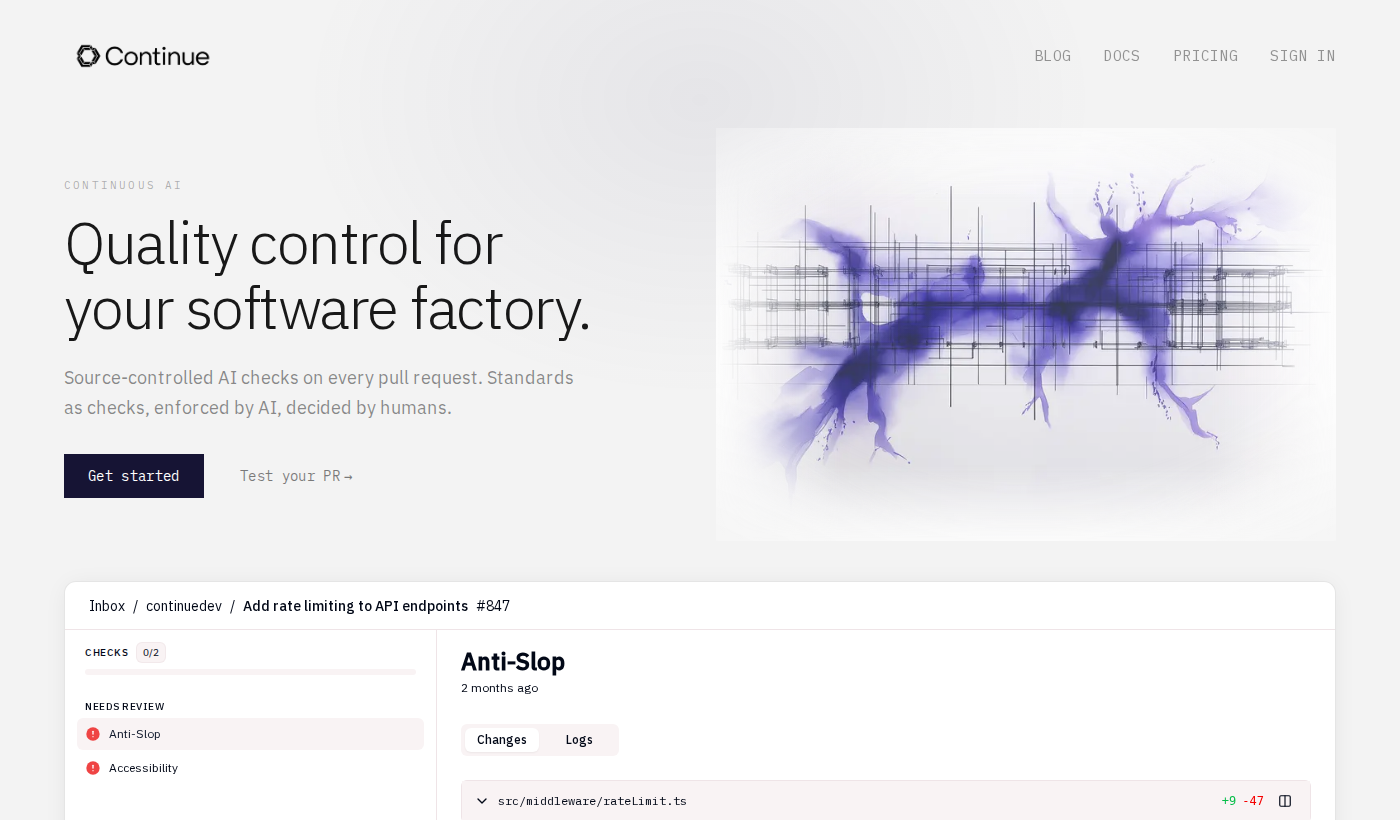
Continue is an open-source AI development platform that functions as a coding assistant plugin for Visual Studio Code and JetBrains IDEs. Rather than offering a single locked-in AI model, Continue is designed as a flexible framework that allows developers to connect a wide range of language models — including those from OpenAI, Anthropic, local models via Ollama, and more — directly into their coding environment.Visit Continue's official website to get a full picture of its capabilities, but at its core, the tool brings three major workflows together: inline code autocomplete, a chat interface for code-related questions, and the ability to reference and edit files within context. This makes it something more than just a tab-completion tool — it's a full conversational AI development assistant embedded in your IDE.
What sets Continue apart in the crowded AI development space is its commitment to openness. The source code is publicly available, meaning teams can audit it, self-host it, and customize it for internal use. This matters enormously for organizations with strict data privacy requirements or those that want to use private or fine-tuned models rather than general-purpose commercial ones. In an ecosystem dominated by subscription-based, black-box tools, Continue's transparent approach is genuinely distinctive.
---
Key Features of Continue
1. IDE-Native Integration (VS Code & JetBrains)
Continue installs as a plugin directly into Visual Studio Code or JetBrains IDEs, meaning there's no context-switching to a separate browser tab or standalone application. The assistant lives where you code. This tight integration means features like inline suggestions, file references, and chat responses are all surfaced within the editor itself — reducing friction considerably. For developers who value staying in flow, this native experience is a meaningful advantage over browser-based AI tools.
2. Flexible Model Support
One of Continue's most distinctive features is its model-agnostic architecture. Rather than forcing you to use a single provider, Continue lets you configure connections to a wide array of LLMs — including OpenAI's GPT models, Anthropic's Claude, local models running via Ollama or LM Studio, and more. This is particularly valuable for teams that need to comply with data residency requirements (by running models locally), or organizations that already have enterprise agreements with specific AI providers. The ability to swap models without changing your workflow is a level of flexibility rarely offered by commercial competitors.
3. Inline Autocomplete
Continue offers real-time, inline code completions similar to what you'd expect from [GitHub Copilot](https://github.com/features/copilot) or [Tabnine](https://tabnine.com). As you type, the assistant predicts and suggests completions ranging from single lines to multi-line blocks. Because the underlying model is configurable, the quality and style of these completions can be tuned to match your team's preferences or codebase conventions — something that's essentially impossible with rigid commercial tools.
4. Conversational Chat Interface
Beyond autocomplete, Continue includes a full chat panel within the IDE. Developers can ask questions about their codebase, request refactors, get explanations of complex functions, or ask for tests to be written — all without leaving the editor. Crucially, this chat interface is context-aware: you can reference specific files, code selections, or terminal output directly in your prompts, giving the model the information it needs to provide genuinely useful responses rather than generic ones.
5. Codebase Context and Indexing
Continue supports indexing your local codebase so that the AI assistant can reference relevant files and functions when answering questions or generating code. This is a significant step beyond simple chat — it means the assistant can understand your project's structure and conventions, making its suggestions far more relevant. This feature aligns Continue with more advanced tools like [Cursor](https://cursor.sh), bridging the gap between basic autocomplete and true AI-powered development assistance.
6. Open-Source and Self-Hostable
Continue's codebase is fully open-source and available on GitHub. This means enterprises and security-conscious teams can audit exactly what the tool does with their code. It also means that the community can — and does — contribute improvements, integrations, and bug fixes. For organizations that need to self-host AI tooling due to compliance, regulatory, or intellectual property concerns, this is a defining feature that commercial alternatives simply cannot match.
7. Customizable Configuration
Continue uses a configuration file (`config.json`) to manage model connections, context providers, and other settings. This allows teams to standardize a shared configuration across their engineering organization, ensuring everyone is using the same models, context sources, and prompt behaviors. The level of configurability here is well beyond what most commercial AI development tools offer out of the box.
---
Continue Pricing & Plans
Since the research brief doesn't include detailed pricing specifics, it's worth being transparent: Continue is fundamentally an open-source project, meaning the core tool is free to download, install, and use. You can get started without paying anything for the Continue software itself.
However, it's important to understand the cost structure: using Continue still requires access to an LLM. If you connect it to OpenAI or Anthropic, you'll pay those providers for API usage based on tokens consumed. If you run a local model via Ollama, costs can be essentially zero beyond your hardware. This makes the total cost of using Continue highly variable depending on your model choices and usage volume.
For teams or enterprises seeking additional support, shared configurations, or managed offerings, View Continue pricing and check for any current commercial or hosted tiers — as the product continues to evolve, enterprise options may be available.
The bottom line: for most individual developers, Continue is effectively free to use with the right model setup — making it an exceptionally cost-effective entry point into AI-assisted development.
---
Pros & Cons
Continue Pros:✅ Fully open-source — auditable, forkable, and community-supported
✅ Model-agnostic architecture allows connection to virtually any LLM
✅ Deep IDE integration with both VS Code and JetBrains
✅ Local model support enables private, offline, and zero-cost usage scenarios
✅ Active open-source community driving ongoing improvements
✅ Highly configurable for teams wanting standardized AI development workflows
Continue Cons:❌ Setup requires more technical effort than plug-and-play commercial tools
❌ Quality of suggestions depends heavily on which model you connect — no out-of-the-box model included
❌ Less polished onboarding experience compared to commercial products like [GitHub Copilot](https://github.com/features/copilot)
❌ Limited publicly available information on enterprise-tier support options
❌ Users responsible for managing their own API keys and model costs
---
Continue vs. Alternatives
Continue vs. [GitHub Copilot](https://github.com/features/copilot)[GitHub Copilot](https://github.com/features/copilot) is the dominant commercial AI coding assistant, deeply integrated with GitHub's ecosystem and backed by Microsoft and OpenAI. It offers a polished, zero-configuration experience at a fixed monthly price. Continue, by contrast, requires more initial setup but offers far greater flexibility — particularly for teams that want to use non-OpenAI models or need to keep code off third-party servers. Copilot wins on ease of use; Continue wins on control and customization.
Continue vs. [Tabnine](https://tabnine.com)[Tabnine](https://tabnine.com) has long positioned itself as the privacy-focused alternative in the AI development space, offering on-premise deployment options. Continue shares this privacy orientation but goes further with its open-source model — there's no vendor to trust, because you can inspect the code yourself. [Tabnine](https://tabnine.com) offers a more commercial, supported experience; Continue offers more radical transparency.
Continue vs. [Cursor](https://cursor.sh)[Cursor](https://cursor.sh) is a full AI-native IDE fork of VS Code that has gained significant traction for its deep codebase understanding and multi-file editing capabilities. Continue operates as a plugin rather than a standalone IDE, which is either a pro or con depending on your perspective. Developers who don't want to switch editors will prefer Continue's plugin model, while those willing to adopt a new environment may find [Cursor](https://cursor.sh)'s deeper integration compelling.
Explore Continue to see how it stacks up for your specific workflow.---
Who Should Use Continue?
Ideal for:- Privacy-conscious developers and enterprises who need to keep source code off third-party servers and want full auditability of their AI tooling
- Developers who want model flexibility — those already using Claude, local LLMs, or custom fine-tuned models who don't want to be locked into OpenAI
- Open-source enthusiasts and contributors who prefer community-driven tools over commercial black boxes
- Engineering teams standardizing on AI development workflows who want a configurable, shareable setup across their organization
- Budget-conscious developers who want to combine free/low-cost models with a capable IDE assistant
Continue is probably not the right first choice for developers who want a zero-configuration, immediately productive experience out of the box — in that case, [GitHub Copilot](https://github.com/features/copilot) or [Tabnine](https://tabnine.com) may be more appropriate starting points.
Contact Continue or review their documentation to confirm whether it fits your team's specific requirements.
---
Getting Started with Continue
Getting started with Continue is straightforward for developers comfortable with plugin installation and API configuration. Here's the general process:
- Install the plugin — Search for "Continue" in the VS Code extension marketplace or JetBrains plugin repository and install it directly.
- Configure your model — Open the `config.json` file and add your preferred LLM connection. This might be an OpenAI API key, an Anthropic API key, or a local Ollama endpoint.
- Start coding — Once configured, Continue's chat panel and inline completions become available immediately within your editor.
For teams deploying Continue across an organization, the configuration file can be standardized and distributed so that all developers share the same model setup and context providers. The Continue documentation provides detailed guides for each supported model provider and configuration option.
The initial setup investment is modest for experienced developers, and the payoff — a fully customizable AI development assistant that you control — can be substantial.
---
Final Verdict
Continue is a genuinely compelling AI development tool for developers and teams who prioritize openness, flexibility, and control over out-of-the-box simplicity. Its open-source foundation, model-agnostic architecture, and IDE-native experience combine to create an assistant that can be tailored to virtually any workflow — from solo developers running local models on their laptops to enterprises with strict data governance requirements.The trade-off is clear: Continue demands more from you upfront. Configuration, model selection, and API key management aren't handled for you the way they are with [GitHub Copilot](https://github.com/features/copilot) or similar commercial tools. But for developers willing to invest that setup time, the result is an AI development platform that feels genuinely theirs — not a service you're renting from a vendor.
As AI development tooling matures, the ability to mix and match models, maintain code privacy, and adapt your toolchain to evolving LLM capabilities will only become more valuable. Continue is positioning itself squarely at the forefront of that trend.
Overall: Highly recommended for technically confident developers and privacy-focused teams. Learn more about Continue to see if it fits your workflow.---
Frequently Asked Questions
Q: How much does Continue cost?A: The core Continue software is open-source and free to use. Costs arise from the AI models you connect — commercial APIs like OpenAI or Anthropic charge per token, while local models via Ollama can be used at no additional cost. Check Continue's official website for any current commercial or enterprise plan details.
Q: What makes Continue different from [GitHub Copilot](https://github.com/features/copilot)?A: The biggest differentiators are openness and flexibility. Continue is open-source and model-agnostic, meaning you can connect it to virtually any LLM — including local, private models. [GitHub Copilot](https://github.com/features/copilot) is a polished commercial product tied to OpenAI's models with less customization available. Continue offers more control; Copilot offers more convenience.
Q: Does Continue support local AI models?A: Yes — this is one of Continue's most valued features. Through integrations with tools like Ollama and LM Studio, developers can run large language models entirely on their own hardware, keeping all code and queries off external servers. This makes it a strong choice for privacy-sensitive environments.
Q: Which IDEs does Continue support?A: Continue currently supports Visual Studio Code and JetBrains IDEs (including IntelliJ IDEA, PyCharm, WebStorm, and others). Visit Continue for the latest information on supported environments.
Q: Is Continue suitable for enterprise teams?A: Continue's open-source nature and self-hostable architecture make it particularly appealing for enterprises with data privacy or compliance requirements. The configurable `config.json` setup also enables teams to standardize AI development tooling across an organization. For enterprise-specific support options, check out Continue directly for the most current offerings.