Introduction
Studies show that over 80% of data breaches involve compromised credentials, yet authentication remains one of the most time-consuming and error-prone challenges developers face when building modern applications. Implementing secure login flows, session management, multi-factor authentication, and user management from scratch can consume weeks of development time — time that most teams simply don't have. That's where Clerk enters the picture.
Clerk is a developer-focused authentication and user management platform designed to take the pain out of building secure, scalable identity infrastructure. Rather than reinventing the wheel with every new project, Clerk gives development teams a complete, drop-in solution that handles everything from login UI components to backend session management.
In this comprehensive review, we'll break down exactly what Clerk offers, who it's best suited for, how it compares to alternatives, and whether it deserves a place in your development stack in 2026. Whether you're a solo developer building your first SaaS product or part of a larger engineering team scaling a production application, this review covers the key details you need to make an informed decision.
---
What Is Clerk?
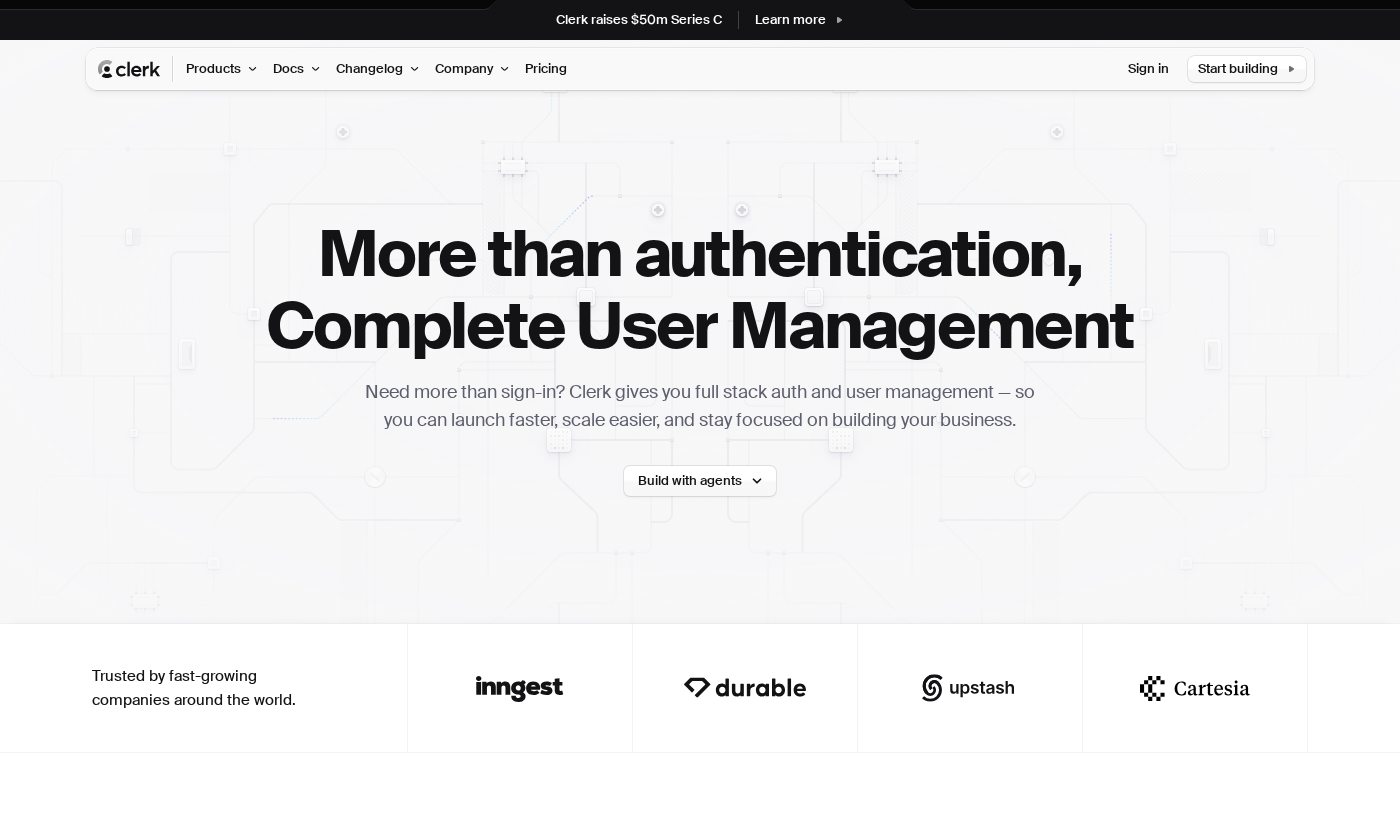
Clerk is a complete authentication and user management platform built specifically for developers. At its core, Clerk handles the full spectrum of identity-related functionality — including sign-up and sign-in flows, multi-factor authentication (MFA), social login (OAuth), session management, and user profile management — so that development teams don't have to build these systems from the ground up.Visit Clerk's official website and you'll see the platform positioned as a modern alternative to building auth in-house or using more general-purpose identity providers. Clerk is particularly focused on developer experience, offering pre-built UI components, SDKs for popular front-end frameworks (including React, Next.js, Remix, and more), and backend integrations that work seamlessly with modern serverless and edge environments.
Founded to address the complexity developers face when implementing authentication, Clerk has positioned itself squarely in the development platforms space, targeting startups, indie developers, and scaling engineering teams who want robust auth without the overhead of maintaining it themselves.
What sets Clerk apart in the crowded development platforms market is its emphasis on the full user management lifecycle — not just login. From the moment a user signs up to managing their profile, organizations, and roles within your app, Clerk provides a unified solution. This makes it more comprehensive than a basic OAuth library while remaining far more approachable than building a custom identity system.
---
Key Features of Clerk
1. Pre-Built Authentication UI Components
One of Clerk's standout features is its library of pre-built, customizable UI components for common authentication flows. Sign-in, sign-up, user profile, and organization management widgets are available out of the box, meaning developers can embed fully functional auth interfaces into their applications without writing complex frontend code. These components are designed to look polished by default but can be customized to match your application's branding and design system.
2. Multi-Factor Authentication (MFA)
Security-conscious teams will appreciate that Clerk bakes MFA directly into the platform. Users can authenticate via SMS codes, authenticator apps (TOTP), or backup codes. For development platforms serving enterprise customers, MFA support is often a non-negotiable requirement, and having it available without a separate integration is a meaningful advantage.
3. Social Login & OAuth Providers
Clerk supports a broad range of social login providers, including Google, GitHub, Apple, Microsoft, and many others. This allows developers to offer users the convenience of logging in with accounts they already have, reducing friction during onboarding. OAuth integration is handled by Clerk's infrastructure, which removes the complexity of managing OAuth tokens and provider-specific quirks from your own codebase.
4. Organization & Role Management
Beyond individual user authentication, Clerk includes built-in support for multi-tenant organizations. This means you can manage users grouped into organizations, assign roles and permissions, and handle organizational invitations — all within the same platform. For B2B SaaS products where tenants need to manage their own team members, this feature alone can save significant development effort.
5. Framework-Specific SDKs
Clerk offers purpose-built SDKs for popular JavaScript frameworks and environments, including React, Next.js, Remix, Expo (React Native), and more. These SDKs are designed to feel native to their respective ecosystems, with hooks, components, and middleware that follow framework conventions. This tight framework integration is a notable differentiator compared to more generic auth solutions.
6. Session Management & JWT Support
Clerk handles session management automatically, including token refresh, session invalidation, and multi-session support (allowing users to be logged into multiple accounts simultaneously). Clerk also issues JWTs that can be used to authenticate requests to your backend APIs, with templates available for popular backend frameworks and services.
7. User Management Dashboard
Clerk provides a hosted admin dashboard where developers and product teams can view, manage, and moderate user accounts. You can manually create users, reset passwords, view session activity, and manage organizations — all without writing custom admin tooling. For early-stage products, this can replace the need to build internal admin panels for user management.
---
Clerk Pricing & Plans
Pricing information for Clerk is available directly on their website, and the platform offers a tiered model designed to scale with your application's growth. Clerk is known for offering a free tier that is genuinely useful for development and small-scale production use, which is a significant draw for indie developers and startups.
The free tier typically includes core authentication features, a limited number of monthly active users (MAUs), and access to the pre-built UI components — making it viable for getting a project off the ground without upfront cost. As your application scales in terms of user volume or requires advanced features such as enhanced security controls, SSO (Single Sign-On), or dedicated support, Clerk's paid plans provide those capabilities.
For larger organizations or enterprise customers with requirements around compliance, SLA guarantees, or custom integrations, Clerk offers enterprise-level arrangements. Specific pricing at the enterprise tier is generally negotiated directly with their team.
Because pricing tiers and MAU thresholds can change, we recommend visiting View Clerk pricing directly to see the most current and accurate plan details before making a purchasing decision.
For most early-stage startups and individual developers, Clerk's free tier or entry-level paid plan represents an excellent starting point — delivering substantial value before any significant cost is incurred.
---
Pros & Cons
Understanding both sides of a platform is essential before committing. Here's an honest look at what Clerk does well and where there are limitations to consider.
Clerk Pros:✅ Developer-first design — SDKs, documentation, and components are built with developer experience as a clear priority, reducing integration time significantly.
✅ Comprehensive feature set — Covering auth, MFA, social login, session management, and organization management in a single platform reduces the need for multiple tools.
✅ Framework-native integrations — Purpose-built SDKs for Next.js, React, Remix, and other modern frameworks mean auth feels native rather than bolted on.
✅ Generous free tier — Clerk's free plan is production-capable for smaller applications, making it accessible to indie developers and early-stage startups without upfront investment.
✅ Organization & multi-tenancy support — Built-in B2B features like organizations and role management are not commonly available in competing auth tools at this level of depth.
Clerk Cons:❌ MAU-based pricing can scale quickly — As your application grows, monthly active user costs can accumulate faster than anticipated, making Clerk potentially expensive for high-volume consumer applications.
❌ Primarily JavaScript/TypeScript ecosystem — While Clerk's JS framework support is excellent, teams working primarily in other languages (Python, Ruby, Go) may find the native SDK experience less polished.
❌ Vendor lock-in considerations — Relying on a third-party platform for authentication introduces dependency on Clerk's uptime and continued service, which is a risk consideration for mission-critical applications.
❌ Limited information available on certain enterprise feature specifics without engaging Clerk's sales team directly.
---
Clerk vs. Alternatives
The authentication and user management space has several strong contenders, and it's worth understanding how Clerk stacks up.
Clerk vs. Auth0 — Auth0 (now part of Okta) is one of the most established names in authentication. It offers an extremely broad feature set and enterprise-grade compliance certifications. However, Auth0's interface and configuration can feel complex and dated compared to Clerk's modern, developer-first approach. For teams building with React or Next.js, Clerk's framework-native SDKs provide a smoother integration experience. Auth0 may be preferable for larger enterprises with complex compliance requirements. Clerk vs. Supabase Auth — Supabase offers a built-in authentication module as part of its broader open-source backend platform. If you're already using Supabase for your database and backend, its integrated auth is convenient. However, Clerk's user management dashboard, organization support, and pre-built UI components are significantly more polished and feature-rich than Supabase Auth alone. Clerk vs. Firebase Authentication — Firebase Auth from Google is widely used and free at scale for basic authentication. It handles social login and email/password auth well. However, Firebase Auth lacks the organization management, pre-built UI components, and Next.js-native integration that Clerk provides. Teams building B2B SaaS products will quickly outgrow Firebase Auth's capabilities.For developers prioritizing modern framework integration and a complete user management lifecycle, Clerk presents a compelling case over these alternatives.
---
Who Should Use Clerk?
Ideal for:- Next.js and React developers — Clerk's framework-specific SDKs and components are particularly well-suited to teams building in the modern JavaScript ecosystem. If your stack includes Next.js, Remix, or React, Clerk integrates with minimal friction.
- Startups and indie developers — The free tier and rapid setup make Clerk an excellent choice for getting a product to market quickly without spending weeks on authentication infrastructure.
- B2B SaaS product teams — Clerk's built-in organization management, roles, and multi-tenancy support are tailor-made for teams building products where end customers need to manage their own users and permissions.
- Teams without dedicated auth expertise — Not every engineering team has deep experience implementing secure authentication. Clerk removes that knowledge requirement by handling security best practices at the infrastructure level.
If you're unsure whether Clerk is the right fit for your specific use case, contact Clerk directly to discuss your requirements.
---
Getting Started with Clerk
Getting up and running with Clerk is designed to be straightforward, even for developers who haven't used a managed auth platform before.
Visit Clerk to create a free account. The onboarding process walks you through creating an application, choosing your authentication methods (email/password, social login, MFA), and generating your API keys. Clerk's documentation is thorough and includes quickstart guides for all supported frameworks.
For a Next.js project, for example, installation typically involves installing the Clerk SDK via npm, wrapping your application with Clerk's provider component, and adding the pre-built sign-in and sign-up components to your routes. Most developers report being able to complete a basic integration in under an hour.
From there, you can customize the appearance of UI components, configure which OAuth providers to enable, set up organization management, and connect Clerk's JWTs to your backend API — all through a combination of the dashboard and code-level configuration. The hosted admin dashboard at https://clerk.com gives you ongoing visibility into your user base without requiring additional tooling.
---
Final Verdict
After a thorough review, Clerk stands out as one of the most polished and developer-friendly authentication platforms available in 2026. Its combination of pre-built UI components, framework-native SDKs, robust session management, and built-in organization support covers the vast majority of what modern web applications need from an identity solution.
The platform is particularly compelling for teams working in the Next.js and React ecosystem, where the integration experience is genuinely seamless. For B2B SaaS products, the multi-tenancy and role management features alone justify serious consideration.
The primary caveats are around cost at scale (MAU-based pricing grows with your user base) and the JavaScript-centric SDK ecosystem. Teams outside the JS ecosystem or with very high user volumes should model their costs carefully before committing.
For most development teams building modern web applications — especially those who want to move fast without sacrificing security — Clerk is a strong, well-rounded choice that delivers real value from day one.
Overall Rating: 4.5/5---
Frequently Asked Questions
Q: How much does Clerk cost?A: Clerk offers a free tier that is suitable for development and smaller production applications. Paid plans scale based on monthly active users and the features required. For the most current pricing details, visit Clerk's official website directly, as tier structures and pricing can be updated regularly.
Q: What makes Clerk different from alternatives like Auth0 or Firebase Authentication?A: Clerk differentiates itself through its developer-first design, framework-native SDKs (especially for Next.js and React), pre-built customizable UI components, and built-in organization and role management. This combination makes it more approachable and more feature-complete for modern SaaS development compared to many alternatives.
Q: Is Clerk suitable for B2B SaaS products?A: Yes — Clerk's built-in organization management, multi-tenancy support, and role-based access control features make it particularly well-suited to B2B SaaS applications where end customers need to manage teams within your product.
Q: Does Clerk support multi-factor authentication?A: Yes. Clerk includes MFA support out of the box, including SMS-based codes, authenticator apps (TOTP), and backup codes — no separate integration required.
Q: Can I use Clerk with backend languages other than JavaScript?A: Clerk's core functionality is accessible via API and JWT verification, which can work with any backend language. However, the most polished native SDK experience is available for JavaScript/TypeScript environments. Teams using Python, Ruby, Go, or other languages can still integrate with Clerk but may need to rely more heavily on the REST API and manual JWT verification rather than purpose-built SDKs.