Introduction
The no-code development market is projected to surpass $45 billion by 2025, and it's easy to see why — businesses and solo founders alike are racing to build digital products without writing a single line of code. Yet, for every promising no-code tool on the market, most fall short when it comes to genuine flexibility and depth. That's where Bubble stands apart. Unlike lightweight form builders or template-only website tools, Bubble is engineered to let users design, build, and launch fully functional web applications — from marketplaces to SaaS products — using a visual, drag-and-drop development environment.
In this comprehensive review, we'll break down exactly what Bubble offers, who it's best suited for, how its pricing compares, and whether it's truly the right no-code platform for your next project. Whether you're an entrepreneur validating an MVP, a designer wanting to bring an idea to life, or a business analyst looking to automate workflows, this review will help you decide if Bubble deserves a place in your toolkit.
---
What is Bubble?
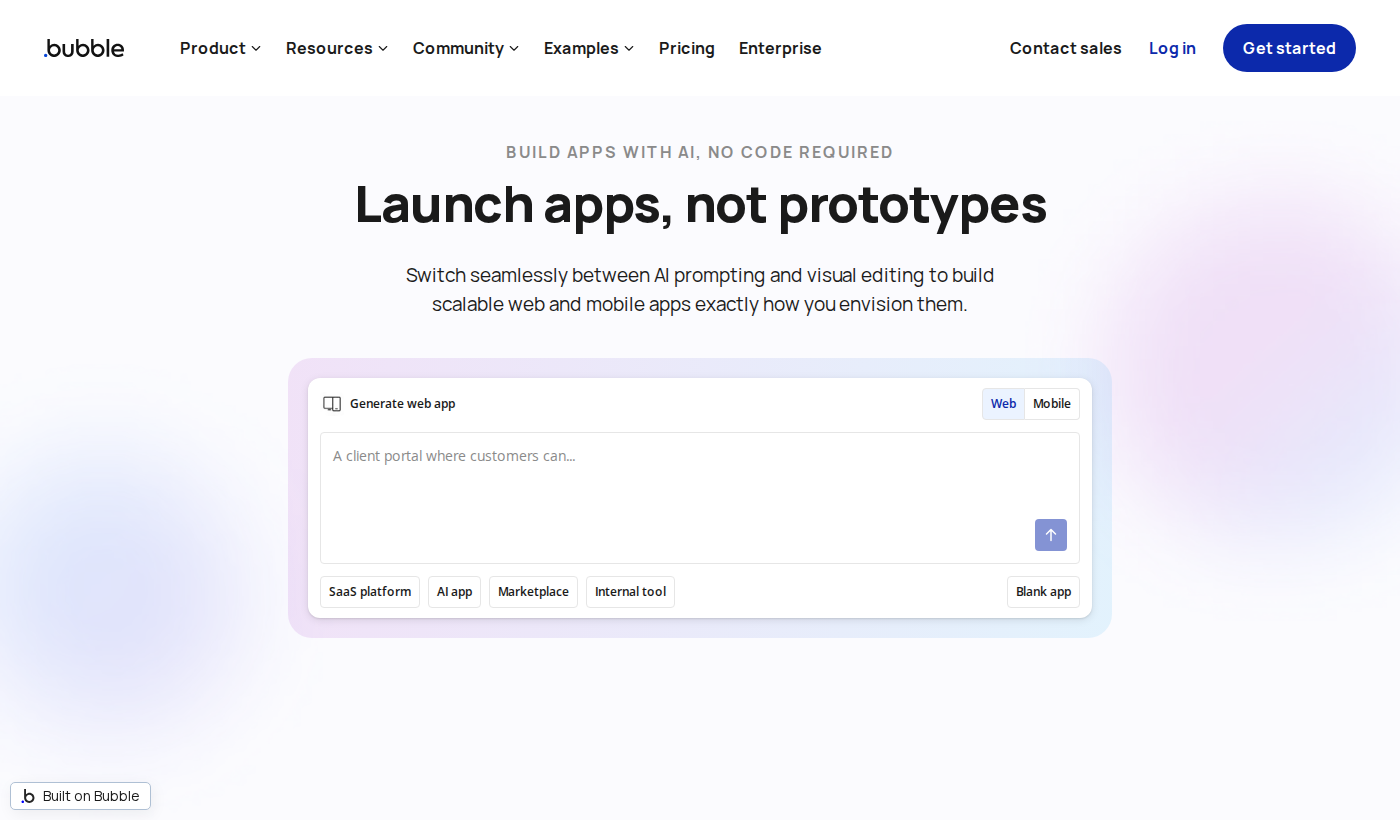
Bubble is a powerful visual programming platform that enables individuals and teams to build complex, fully interactive web applications — without needing traditional coding skills. Founded in 2012 by Josh Haas and Emmanuel Straschnov, Bubble has grown into one of the most recognized names in the no-code movement, powering hundreds of thousands of applications worldwide.At its core, Bubble provides a browser-based editor where users can visually design their app's front end, define backend workflows, manage databases, and integrate third-party APIs — all from a single unified platform. Unlike simpler website builders such as Wix or Squarespace, Bubble is purpose-built for application logic, meaning you can create dynamic, data-driven experiences that respond to user input, process transactions, manage user accounts, and much more.
Visit Bubble's official website to get a sense of just how broad its use cases are. The platform is regularly used to build:
- SaaS products — subscription-based tools and dashboards
- Marketplaces — two-sided platforms like rental or freelance marketplaces
- Internal tools — CRMs, project managers, and admin panels
- MVPs — rapid prototypes to validate startup ideas
What makes Bubble genuinely different in the no-code platforms space is the depth of its logic layer. Most no-code tools sacrifice power for simplicity, but Bubble attempts — and largely succeeds — at giving users both.
---
Key Features of Bubble
1. Visual Drag-and-Drop Editor
Bubble's design editor is its front door, and it's impressively capable. Users can build responsive layouts using a canvas-based interface, placing elements like buttons, inputs, text, images, and custom shapes exactly where they want them. Responsive design controls allow apps to adapt to different screen sizes, which is essential for modern web applications. The editor supports reusable components, meaning you can create a navigation bar or modal once and deploy it across your entire app — saving significant time.
2. Built-In Database
One of Bubble's standout capabilities is its integrated database system. Rather than connecting to an external database from day one, users can define their own data types and fields directly within the platform. You can store users, products, messages, orders, or any custom data structure you need. The database supports relational data, meaning you can link data types together — for example, connecting an "Order" to a "User" and a "Product" seamlessly. This makes building complex, data-driven applications far more accessible for non-developers.
3. Workflow Engine
Bubble's workflow system is where the real magic happens. Workflows define what happens when a user takes an action — clicking a button, submitting a form, or loading a page. Within a workflow, you can create database records, send emails, call APIs, run conditional logic, navigate to other pages, and much more. The workflow editor is visual and event-driven, making it intuitive to map out even complex multi-step logic without writing code. This is arguably the most powerful feature in Bubble's no-code platforms arsenal.
4. API Connector & Plugin Ecosystem
Bubble supports external integrations through its API Connector plugin, which allows users to connect to virtually any REST API. This opens the door to integrations with payment processors like Stripe, communication tools like Twilio, mapping services, AI APIs, and thousands of other third-party services. Beyond the API Connector, Bubble has a thriving plugin marketplace where community-built and official plugins extend the platform's capabilities — from advanced charts to authentication providers to custom UI components.
5. User Authentication & Roles
Building an app with user accounts is a first-class experience in Bubble. The platform includes native support for user sign-up, login, password management, and email verification. You can also define privacy rules that control which data each user can see or modify — a critical security feature for multi-user applications. Role-based access control can be implemented through custom data fields and conditional logic, giving developers fine-grained control over permissions.
6. Native Mobile Responsiveness
While Bubble is primarily a web app builder, it includes responsive design tools that allow apps to [Render](https://render.com) well on mobile browsers. Users can define breakpoints, hide or show elements based on screen width, and configure touch-friendly interactions. For teams that need a dedicated mobile experience, Bubble apps can also be wrapped using tools like BDK Native or Jasonelle to create pseudo-native mobile applications.
7. Version Control & Collaboration
Bubble offers built-in version control through its development and live environment system. Changes made in the development environment don't affect the live, production version of your app until you choose to deploy them. This staging-style workflow is invaluable for teams iterating on features without disrupting active users. Collaborative editing is also supported, allowing multiple team members to work within the same Bubble application.
---
Bubble Pricing & Plans
Bubble offers a tiered pricing structure designed to accommodate individual hobbyists all the way up to scaling businesses and enterprises. Since pricing details can change, always View Bubble pricing directly on their website for the most current information.
Generally, Bubble's pricing structure follows this format:
- Free Plan — Available for learning and experimentation, with Bubble branding on the app and limited capacity. Great for testing the platform before committing.
- Starter Plan — Removes Bubble branding and adds more capacity, suitable for small projects or early-stage launches.
- Growth Plan — Unlocks more server capacity, increased storage, and additional collaborators — aimed at growing startups and active projects.
- Team Plan — Designed for product teams with higher workloads, more advanced collaboration features, and greater app performance.
- Enterprise Plan — Custom pricing with dedicated infrastructure, SLA guarantees, SSO, and advanced security features for large organizations.
Because specific monthly prices fluctuate and Bubble periodically adjusts its plan structure, it's best to visit Bubble directly to confirm exact costs and what's included at each tier. A free trial or free-tier entry point is available, making it low-risk to explore the platform before upgrading.
For most early-stage founders and solo builders, the Starter or Growth plan tends to offer the best balance of features and cost.
---
Pros & Cons
Bubble Pros:✅ Unmatched depth for a no-code platform — Bubble supports genuine application logic, databases, and API integrations that most competitors can't match
✅ All-in-one environment — Design, database, workflows, and hosting are all managed in one place
✅ Large community and ecosystem — Extensive plugin marketplace, active forums, and a wealth of third-party tutorials and templates
✅ Scalable from MVP to production — Used by funded startups and established businesses, not just hobbyists
✅ Free plan available — Low barrier to entry for testing and learning
Bubble Cons:❌ Steep learning curve — Despite being no-code, Bubble requires significant time investment to master, especially for complex apps
❌ Performance limitations at scale — High-traffic applications may require careful optimization or enterprise-level plans
❌ Bubble-specific lock-in — Apps are tied to Bubble's infrastructure; migrating to custom code later is complex
❌ Mobile-native limitations — Not a replacement for truly native iOS/Android development
---
Bubble vs. Alternatives
Bubble vs. [Webflow](https://webflow.com)[Webflow](https://webflow.com) is a strong no-code platform for marketing sites and content-heavy websites, offering exceptional design control and CMS capabilities. However, it's not built for complex application logic. Bubble wins decisively when you need dynamic user interactions, multi-user databases, and transactional workflows. [Webflow](https://webflow.com) wins for design-first, content-driven sites.
Bubble vs. AdaloAdalo focuses primarily on mobile app development with a simplified visual builder. It's more approachable for beginners but sacrifices the depth that Bubble provides. If you need a mobile-first app with basic functionality, Adalo is faster to learn. If you need a sophisticated web application with complex logic, Bubble is the stronger choice.
Bubble vs. OutSystems / MendixEnterprise low-code platforms like OutSystems and Mendix target large development teams and offer advanced governance, on-premises deployment, and enterprise integrations. They require more technical knowledge and come at significantly higher price points. Bubble occupies the sweet spot between consumer no-code simplicity and enterprise low-code power, making it ideal for startups and growth-stage companies.
---
Who Should Use Bubble?
Ideal for:- Non-technical founders who want to validate and launch a startup idea without hiring developers
- Product designers who want to prototype and ship functional apps, not just wireframes
- Freelancers and agencies building client-facing web applications on tight timelines and budgets
- Internal tooling teams within companies looking to automate business processes and build custom dashboards
- Bootcamp graduates and career-changers who want to build portfolio projects and launch products quickly
Bubble is less ideal for teams needing native mobile apps, projects with extreme performance requirements, or developers who prefer full code control. Contact Bubble or explore their documentation to confirm whether the platform fits your specific technical requirements.
---
Getting Started with Bubble
Getting started with Bubble is refreshingly accessible. Visit Bubble and sign up for a free account — no credit card required. From there, you'll be taken to the Bubble editor where you can either start from scratch or explore one of the many pre-built templates across categories like marketplaces, social networks, and SaaS tools.
Bubble offers a structured onboarding experience with guided lessons that introduce you to the editor, database, and workflow system step by step. The Bubble Academy provides free video courses for beginners, while the Bubble Forum is one of the most active no-code communities on the internet, offering answers to almost any question you'll encounter.
For those who want to move faster, the Bubble template marketplace includes paid and free templates that give you a pre-built foundation to customize. Third-party Bubble development agencies are also widely available if you prefer professional assistance.
Explore Bubble at your own pace — the free plan gives you ample time to determine whether it's the right fit before committing to a paid tier.---
Final Verdict
After a thorough examination, Bubble stands out as one of the most capable and genuinely powerful no-code platforms available in 2026. It has matured significantly since its founding, evolving from a curiosity for tinkerers into a legitimate platform for building production-grade web applications. The combination of a visual editor, relational database, workflow engine, and robust plugin ecosystem creates an environment where motivated builders can accomplish what would otherwise require a full engineering team.
That said, Bubble isn't for everyone. The learning curve is real, and newcomers should expect to invest time in understanding its paradigm before feeling productive. It's also not the right tool for mobile-native apps or projects where performance at massive scale is a day-one concern.
For entrepreneurs, indie hackers, and product-focused teams who need to move fast without sacrificing functionality, Bubble remains one of the most compelling tools in the no-code platforms category. Learn more about Bubble and determine whether it's the right foundation for your next project.
---
Frequently Asked Questions
Q: How much does Bubble cost?A: Bubble offers a free plan for learning and experimentation, with paid plans that unlock more capacity, branding removal, and advanced features. Since pricing tiers are updated periodically, visit Bubble's official website for the most accurate and current pricing information.
Q: What makes Bubble different from other no-code platforms?A: Bubble's key differentiator is depth. While many no-code tools are limited to simple forms, landing pages, or basic automation, Bubble supports full application logic — including relational databases, complex workflows, API integrations, and user authentication. It's built for apps, not just websites.
Q: Is Bubble suitable for non-technical users?A: Yes, but with a caveat. Bubble is designed for non-developers, and no coding is required. However, it does require a logical, structured way of thinking about data and workflows. Complete beginners should expect a learning period of several weeks before feeling confident building independently.
Q: Can I build a mobile app with Bubble?A: Bubble builds web applications that are accessible on mobile browsers and can be made responsive for mobile screens. It is not a native mobile app builder. For truly native iOS or Android apps, you would need a separate tool or approach.
Q: Can I scale my Bubble app as my business grows?A: Yes. Bubble offers higher-tier plans with more server capacity and performance options, and enterprise plans with dedicated infrastructure. Many funded startups have launched and scaled on Bubble, though very high-traffic applications may require careful architecture and optimization.